
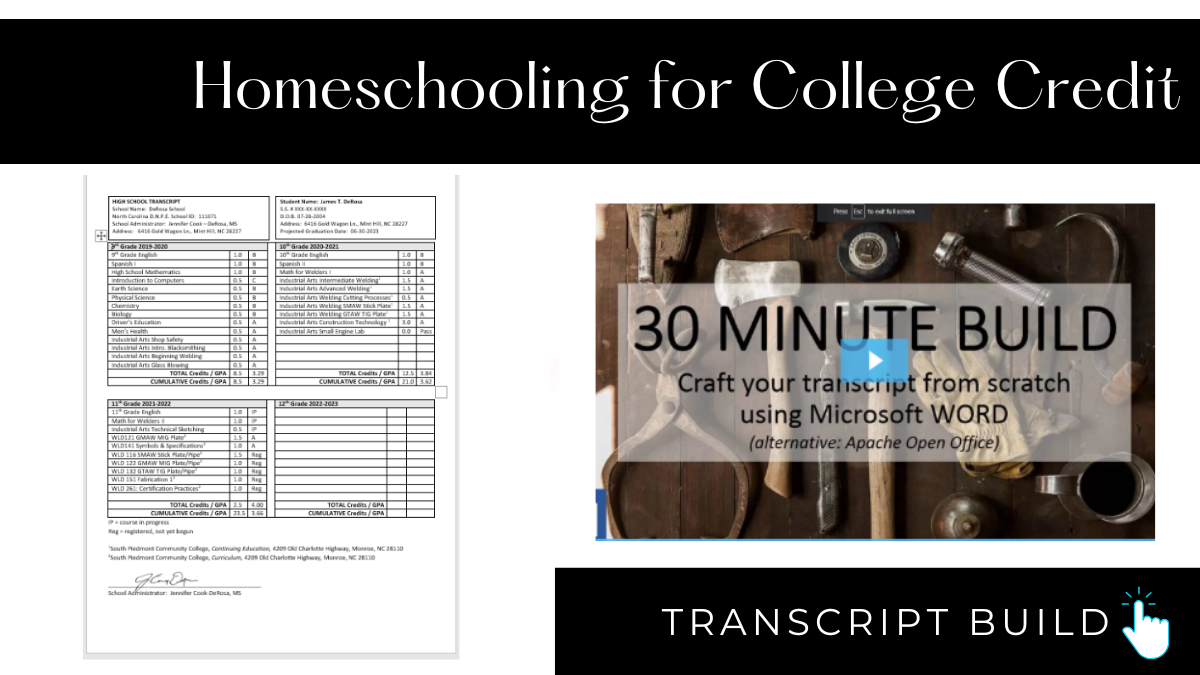
The HS4CC Transcript Template has been used by over 10,000 parents in our community. Easily organize your entire 4-year program on one page (high school and college credit), in 11-point font, and fully customize to your style. This is a free template that you can build using MS Word, Google Docs, or Open Office.
Bookmark this –> HS4CC Transcript Resource Page
✅ Build a Transcript Template (FREE Mini-Class)
This 30-minute click-by-click demo will take you from a blank page to a finished template using Microsoft Word, Google Docs, or OpenOffice. Our template holds both high school and college credits.
👉 [Build my Transcript]
FAQ
- Length? 1 page
- Template? The HS4CC template perfectly fits high school and college on 1 page.
- Titles? Name the subject, not the brand.
- Graphics and colors? Resist the urge.
- Font? Calibri, Times New Roman, or Arial
- Size? 11 or 12
- + and – grades? Usually results in a lower GPA, not a higher one.
- To weigh or not to weigh? Include both.
- GPA Calculator? This is the one I use
- 1 college course taken at a college with a grade = 1 high school credit.
- ACE pass/fail classes = 0.5 high school credit.
- CLEP exams: Do not use the word “CLEP” on your transcript.
- AP in course title: Identify it as “AP” only if you’ve gotten College Board approval.
- Test scores (PSAT, SAT, ACT, CLT, AP, etc.) are optional.
- Course Descriptions: provide if requested.
- Dual enrollment: include a superscript/subscript/symbol linked to the footer with an entry for each college’s complete name and mailing address.
- High school courses taken before 9th grade: Optional and only needed to meet high school graduation or college admissions requirements.
- Send a physical copy: signed by the parent, sent to the college registrar.
- Send an electronic copy: from the parent’s email to the college’s designated recipient.
Want to take our BIG Transcript Class? –> Enroll here

